Created Montag 19 Juni 2023
A Python package can include multiple packages. So you have to download them to take the hashes by wheel.
Download wheel(s) to current directory:
C:\> py -m pip download <SomePackage name>
Use a hash view tool (e.g. SHA256/512 script in DOpus -> Add column) or pip to see the hashes of the wheel.
Pip:
C:\> py -m pip hash <Local path to wheel>
E.g.:
C:\> py -m pip hash .\wxPython-4.2.1-cp311-cp311-win_amd64.whl
Get hash from package on PYPI (JSON API). Enter the following URL in the browser (src):
https://pypi.org/pypi/$package/$version/json
E.g.:
https://pypi.org/pypi/wxPython/4.2.1/json
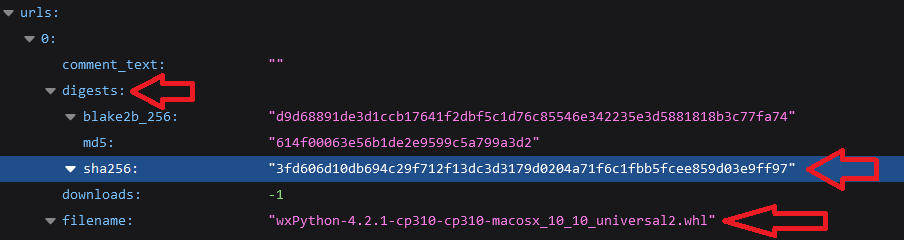
Browse to URLS and look for the digest of the specific wheel filename: